I built a native desktop SaaS in 4 weeks. Here's exactly what happened.
Day 0. The problem I actually had.
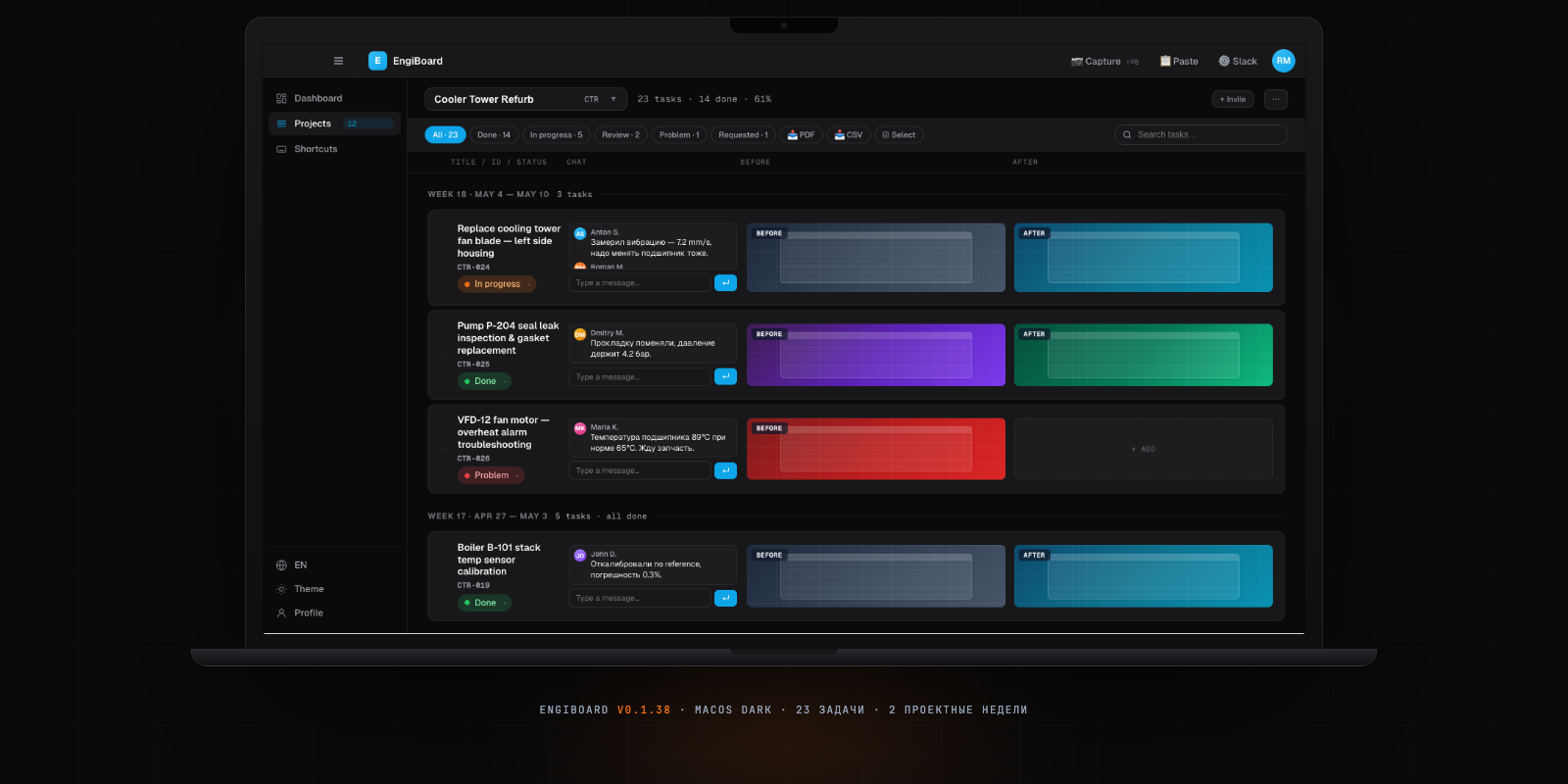
I was tracking engineering tasks in Notion. It worked — until it didn't. Notion is a document tool with task columns bolted on. I wanted something native: instant startup, offline-first, pixel-accurate screenshots pinned to tasks, proper status colours. Nothing on the market was right. So I built it.
The constraint was intentional: 4 weeks, one founder, no hires. AI as co-workers (Claude Code, Cursor). Every decision had to ship that day or get cut.
The stack decision (Day 1, 30 minutes)
Three options were on the table:
- Electron — heavyweight, 200 MB binary, slow startup
- Flutter — fast, but CSS muscle memory doesn't transfer
- Tauri 2 — Rust shell, HTML/CSS/JS frontend, 8 MB binary, 200 ms cold start
Tauri won. The same frontend code renders as both the desktop shell and the Next.js web mirror — one codebase, two surfaces.
Day 1 → v0.1.9: Scaffold + CI
Tauri scaffold, GitHub Actions pipeline, 4-platform build matrix: Mac M-series, Mac Intel, Windows EXE, Windows MSI. Before writing a single product feature, CI was green and releases were automated. Every git tag triggers a build across all four platforms and publishes installers.
Why CI first? Because "it works on my machine" is not shipping. The discipline of a passing CI run before adding features prevents the classic solo-founder trap: a demo that never becomes a product.
Day 2–3 → v0.1.12: Core data model
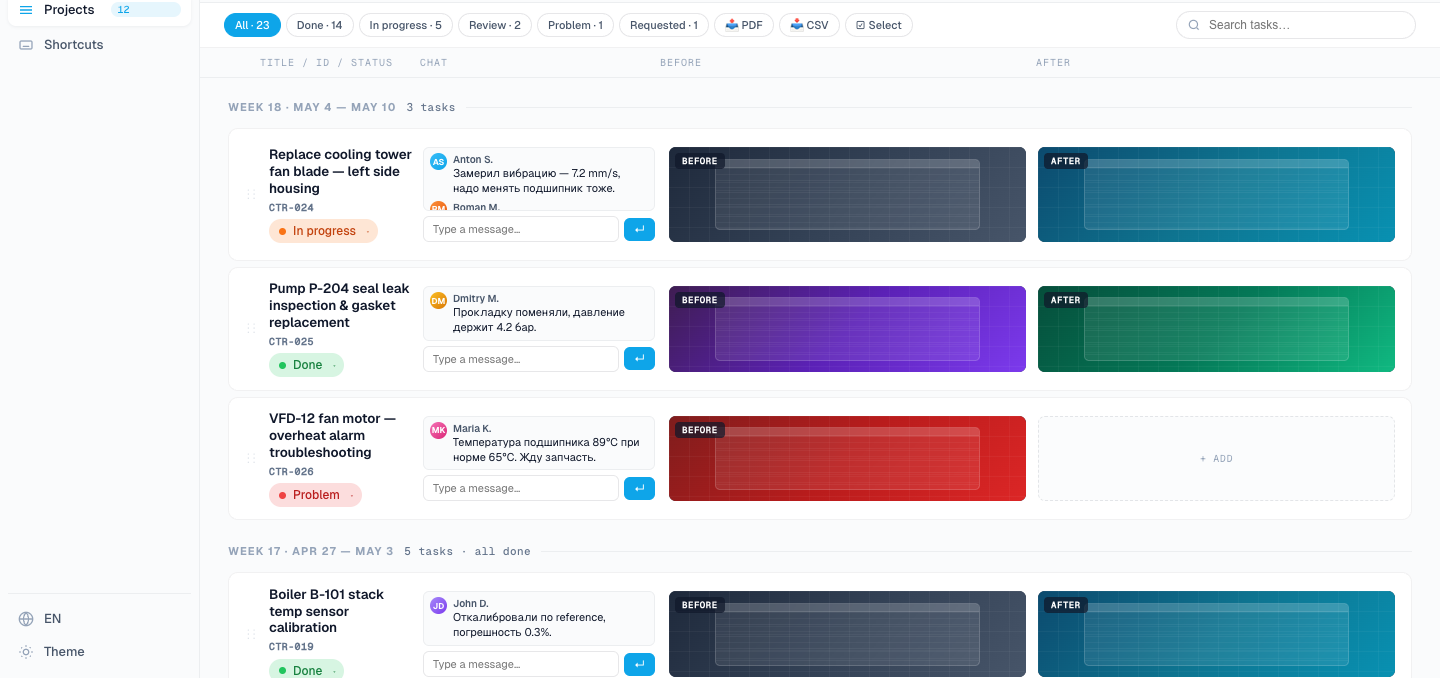
Projects → Tasks → Comments. Eight colour-coded statuses (not the usual To Do / In Progress / Done — engineers think in more dimensions than that). Supabase for auth (Google OAuth, email magic link) and database. Railway for the Next.js web auto-deploy on every push.
The data model is the product. Get it wrong and you refactor forever. I ran three whiteboards before touching the schema.
Day 4 → v0.1.24: The feature that made it real
Native screenshot overlay. A global hotkey opens a crosshair capture tool, draws a region on any window, and attaches the screenshot to whatever task is open — with a comment pinned to exact pixel coordinates. Not a timestamp. A pixel.
This was the feature I couldn't find in existing tools. Jira can attach files. Linear can paste images. None of them let you say "the bug is at x:340, y:180 of this specific screen state."
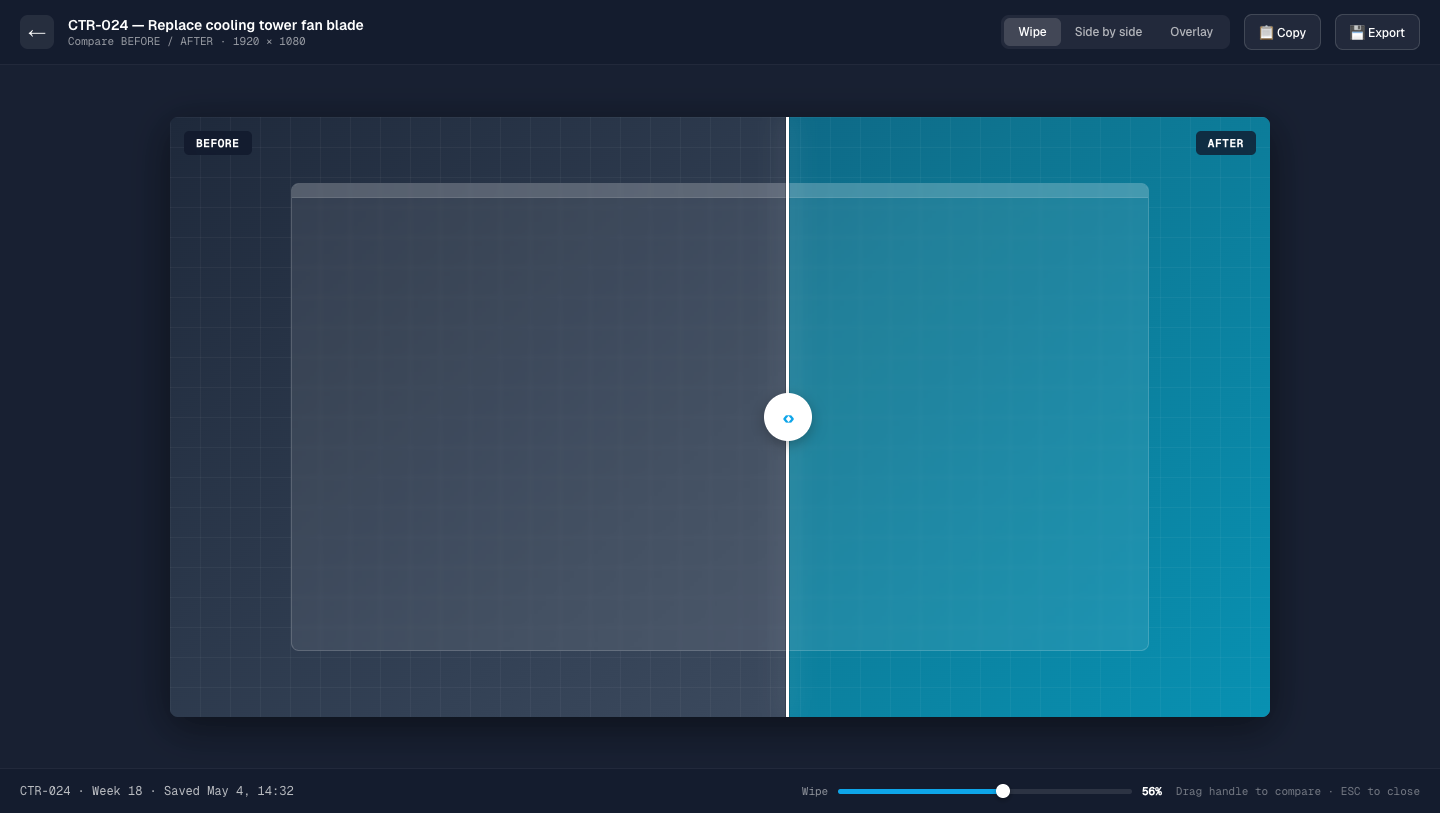
Day 5 → v0.1.30: Before/After comparison
Two screenshots stacked. Single drag handle between them. No toggle, no tab switch — slide left to see before, slide right to see after. Pure muscle memory for anyone doing design QA or reviewing code changes.
This feature took 4 hours to build correctly. The drag interaction had to be smooth at 120 Hz and work identically on both the Tauri shell and the Next.js web version. The same CSS handles both.
The hardest bug: WKWebView repaint
On macOS, there's a class of WebKit bug where the WKWebView layer stops repainting after the window loses focus and regains it. Scroll position corrupts. Rendering artifacts appear. The fix isn't documented.
Solution: inject a focus probe — a transparent 1px div that force-triggers a compositing layer update on window focus. Clean reinstall of the Tauri webview context on resume. This became v0.1.108 and took longer to debug than any feature took to build.
What 4 weeks actually looks like
Apr 28 → late May. Roughly 5 hours per day. 44 releases tagged. 98 commits. The release cadence was intentional — small, named, public. It creates a paper trail that proves the product is alive. The product didn't stop at launch either — it's on ongoing support and development.
Every evening: tag, release, close the laptop. Every morning: read yesterday's GitHub Actions log, write what ships today. That rhythm is what stops a side project from becoming a graveyard.
What I'd do differently
Start Supabase Row Level Security on Day 1, not Day 3. The migration was annoying. And I'd define the screenshot storage schema before writing the capture UI — I refactored that twice.
Otherwise — the constraints were the feature. 4 weeks forced every decision. No "we'll add that later." No "let's make it configurable." Ship or cut. Most things got cut. The things that shipped are the things that mattered.
EngiBoard is live. Full case study with all screens: stepikin.com/cases/engiboard. 44 releases and counting.
Building an AI product and need design + frontend shipped fast? That's exactly what Stepikin Studio does — concept to live product in 2–4 weeks.
See how I work with AI startups