FitWhen to use it — and when not
Use it when
- Usage-based or credit-based pricing
- Expensive runs: long documents, agents, image and video
- Admin and team-lead views of AI spend
Skip it when
- Flat-rate consumer plans where cost per message would only create anxiety
AnatomyThe parts of the pattern
- EstimateBefore running: rough cost and time.
- Model choiceCheaper/faster vs better, with the trade-off.
- ActualAfter running: what it really cost.
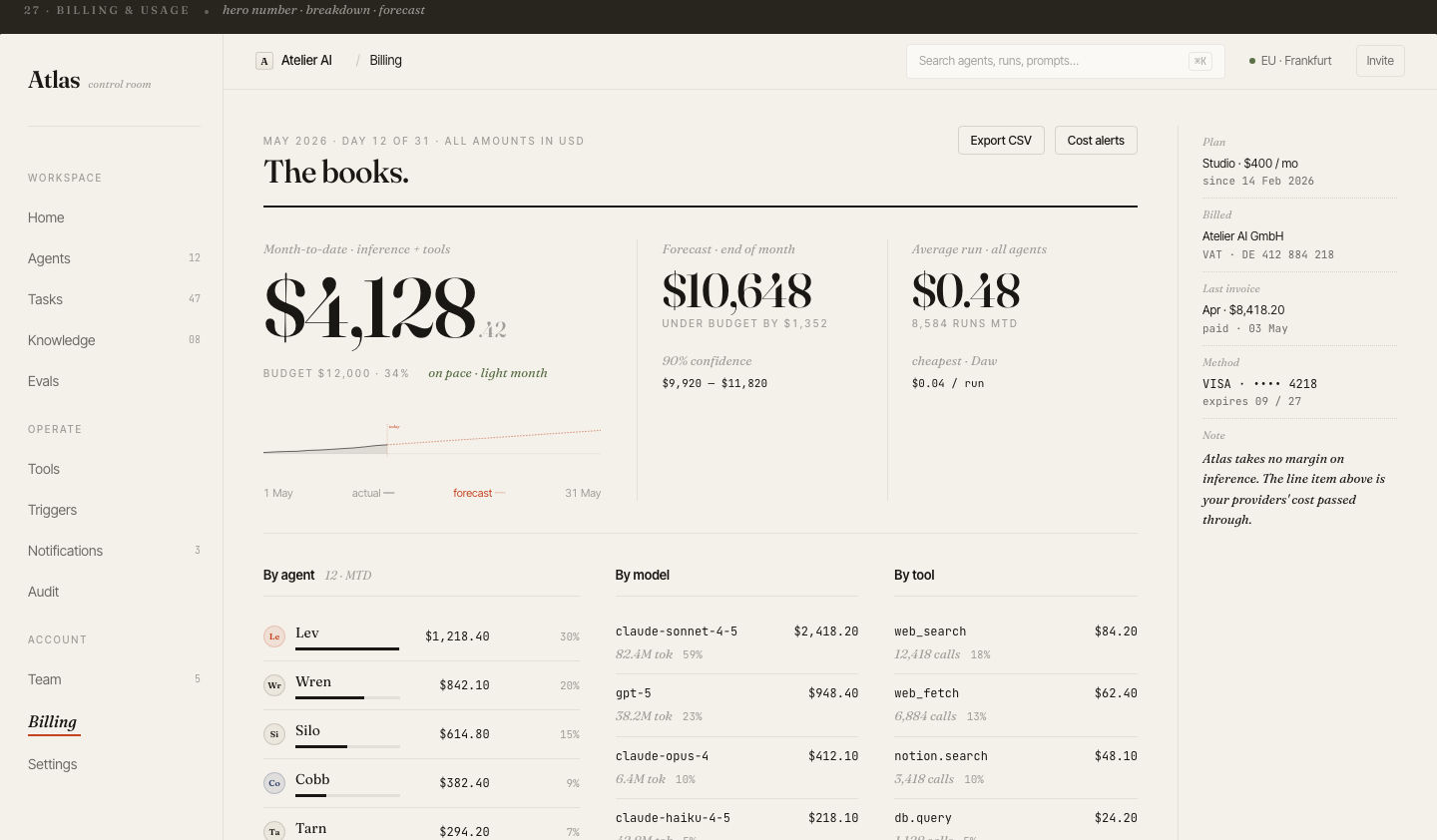
- Budget meterSpend vs budget for the period.
- BreakdownBy model, feature, agent, user.
GuidelinesDo & don’t
Do
- Show the estimate where the decision is made — next to Run.
- Translate tokens into money or credits.
- Warn before a run would exceed the budget.
Don’t
- Make users do token maths.
- Surprise with a cost far above the estimate without explaining why.
- Hide spend from the people who approve the budget.
In productionHow it looks in a shipped product
In the wildReal-world examples
OpenAI and Anthropic consolesCursorReplit AgentLovable
Products named for reference only — no affiliation, and the demo above is an original illustration, not a copy of their UI.
For engineersImplementation notes
- Estimate input tokens exactly (tokenizer) and output tokens from historical p50/p90 per task type.
- Record usage per request (model, input, output, cached tokens) with user, feature and run ids — breakdowns are just GROUP BY.
- Enforce budgets server-side; the UI meter is a mirror, not the control.