FitWhen to use it — and when not
Use it when
- Plan-based message or credit limits
- Provider rate limits (429s) at peak load
- Premium models with tighter caps
Skip it when
- Hiding limits entirely until they hit — that is the anti-pattern this fixes
AnatomyThe parts of the pattern
- MeterRemaining usage, visible before it runs out.
- Early warningA heads-up at ~20% left.
- Limit stateWhat happened, when it resets (live timer).
- OptionsFallback model, queue for later, upgrade — with trade-offs.
GuidelinesDo & don’t
Do
- Offer a fallback that keeps the user working.
- Show the exact reset time.
- Distinguish "you hit your plan limit" from "we are overloaded".
Don’t
- Show a raw 429 or "Too many requests".
- Lead with upgrade as the only option.
- Reset counters at a time you do not show.
In productionHow it looks in a shipped product
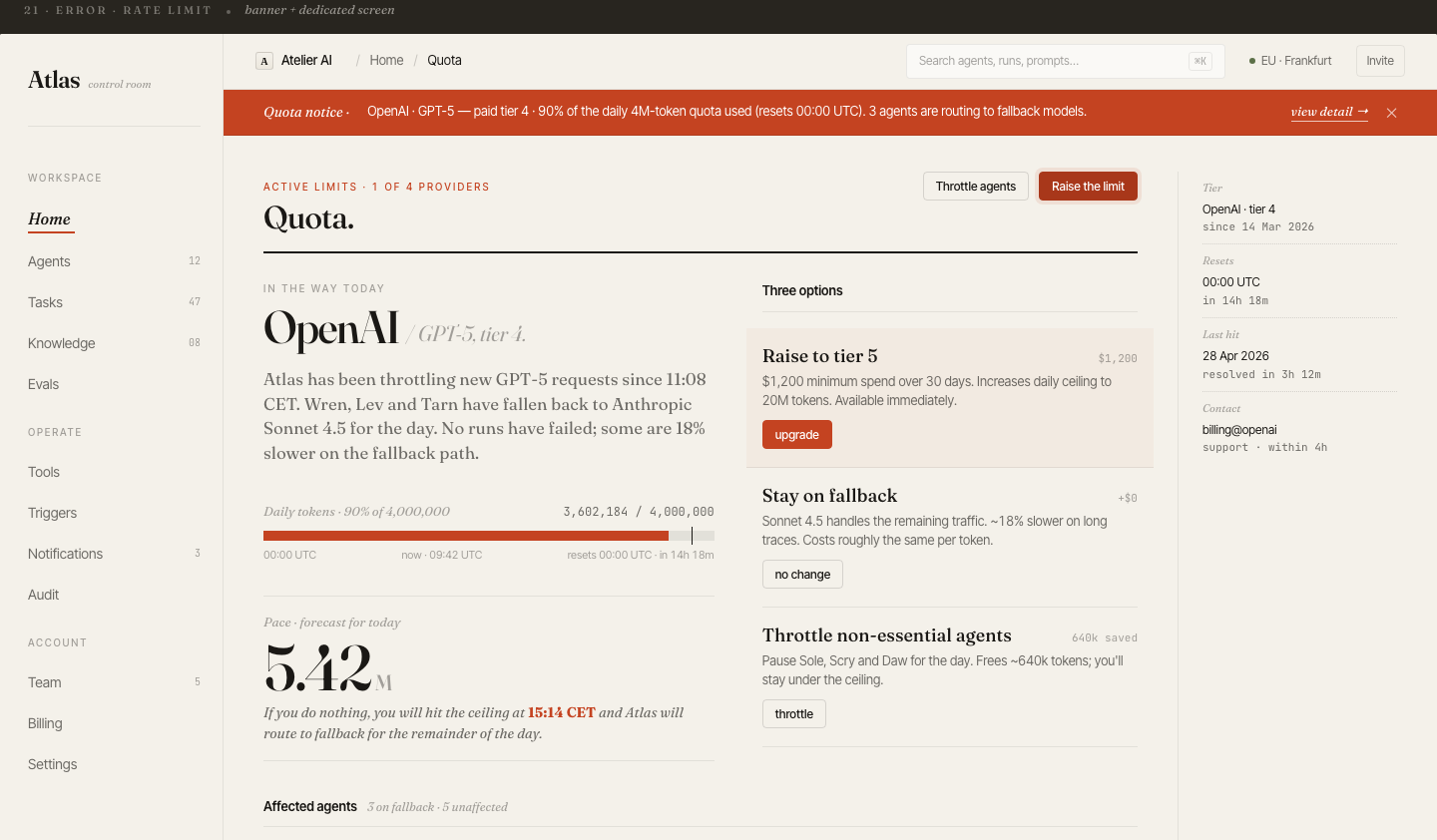
In the wildReal-world examples
ChatGPTClaudeCursorPerplexity
Products named for reference only — no affiliation, and the demo above is an original illustration, not a copy of their UI.
For engineersImplementation notes
- Route through a gateway that knows quotas per user and provider limits; return a typed limit state with reset_at.
- Implement model fallback chains server-side and tag responses with the model actually used.
- Queue deferred requests with idempotency keys so "run later" is safe.