FitWhen to use it — and when not
Use it when
- Any answer that takes more than ~1 second
- Long-form generation: reports, code, emails
- Agent runs where intermediate steps are meaningful
Skip it when
- Short structured results (a number, a yes/no) — just show them
- Outputs that must be validated before anyone sees them (e.g. regulated text)
AnatomyThe parts of the pattern
- Status lineWhat the model is doing right now: reading, searching, writing.
- Token streamText appears as generated, with a caret at the end.
- Live metersElapsed time and tokens — useful for builders, optional for end users.
- StopAlways reachable while streaming.
- Done stateCaret gone, actions appear (copy, retry, feedback).
GuidelinesDo & don’t
Do
- Show something within 300 ms — even a status line.
- Stream the steps (reading, searching) before the text, not just the tokens.
- Keep the scroll anchored; do not yank the user to the bottom if they scrolled up.
Don’t
- Fake a typing effect on an answer you already have — it only adds delay.
- Re-render the whole message on each chunk (jank on long answers).
- Hide the Stop button while streaming.
In productionHow it looks in a shipped product
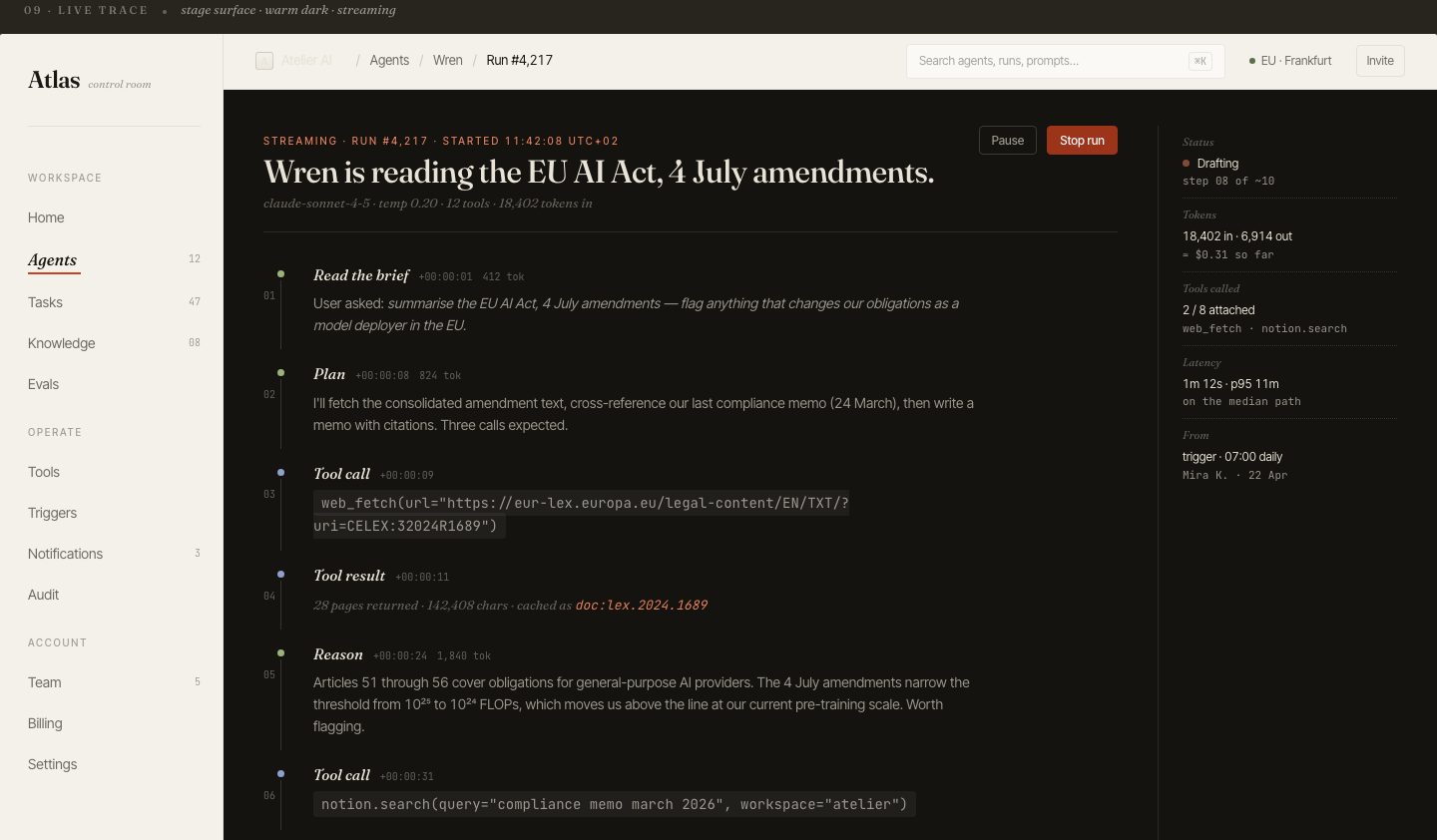
In the wildReal-world examples
ChatGPTClaudePerplexityCursor
Products named for reference only — no affiliation, and the demo above is an original illustration, not a copy of their UI.
For engineersImplementation notes
- Use Server-Sent Events or a fetch ReadableStream; buffer chunks and render on requestAnimationFrame, not per token.
- Parse markdown incrementally (or render plain text while streaming and format on done) to avoid flicker in code blocks.
- Track time-to-first-token separately from total time — it is the latency users actually feel.